

Bottom line: to go live on TikTok in 2026 you must be 16 or older, have 1,000 followers, and keep your account in good standing. Meet all three and you can stream: tap "+" at the bottom of the app, switch to "Live", add a title, and tap "Go Live". If you cannot see the Live entry at all, it is almost always follower count or account status.
What do you need to go live on TikTok?
Let us set the bar first. Only age and follower count are hard requirements. Account standing and gifting permissions are the soft conditions where most business accounts get stuck.
| Requirement | What is required | What happens if you do not meet it |
|---|---|---|
| Age | 16 or older | No live button on the recording screen |
| Followers | 1,000 or more | You see the "+" but cannot switch to Live |
| Account status | No violation history, not under review or suspended | You see the entry, but going live fails |
| Virtual gifts | 18 or older | You can stream, but cannot receive gifts |
| Device and network | Latest app version, stable connection | Dropouts and frozen video mid-stream |
If you just turned 16 or just crossed 1,000 followers, the entry will not appear right away. TikTok needs a few days to update its records, so check again in two or three days. Still missing after that? Check whether a recent violation has left the account under review or suspended.
5 steps to go live on mobile
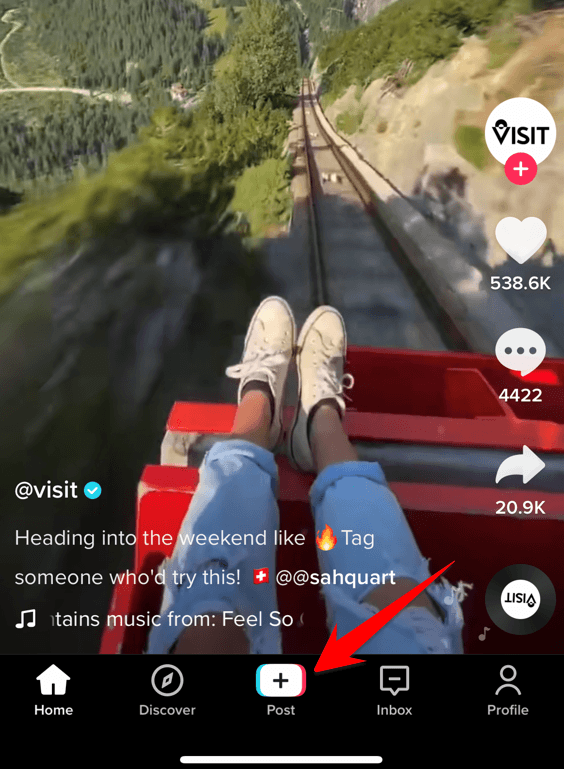
- Open the TikTok app and confirm you are logged into the account you want to stream from
- Tap the "+" in the middle of the bottom bar
- Switch to "Live" next to the record button
- Write a live title that says what this session covers
- Tap "Go Live" to start streaming
Do not title it "test" or a string of product model numbers. Say what viewers get, for example "Valve sizing Q&A: how to troubleshoot 5 common errors". When someone scrolls past your room, the title is the first thing that decides whether they stop.
No "Live" button? Troubleshoot in this order
Work from the most common cause down. Do not jump straight to "my account got banned".
- Check your follower count. Are you really at 1,000? Losing followers can drop you back below the threshold
- Confirm the app is updated to the latest version in the app store
- Log out and log back in to refresh your permission status
- Check whether the account received a violation notice or is under review or suspended
- Confirm the age on the account is correct. Under 16, you cannot stream
If all of that checks out and you still cannot see it, log into the same account on another phone. Device-level cache issues usually show up the moment you switch handsets.
Go live with customers: up to 20 co-hosts per session
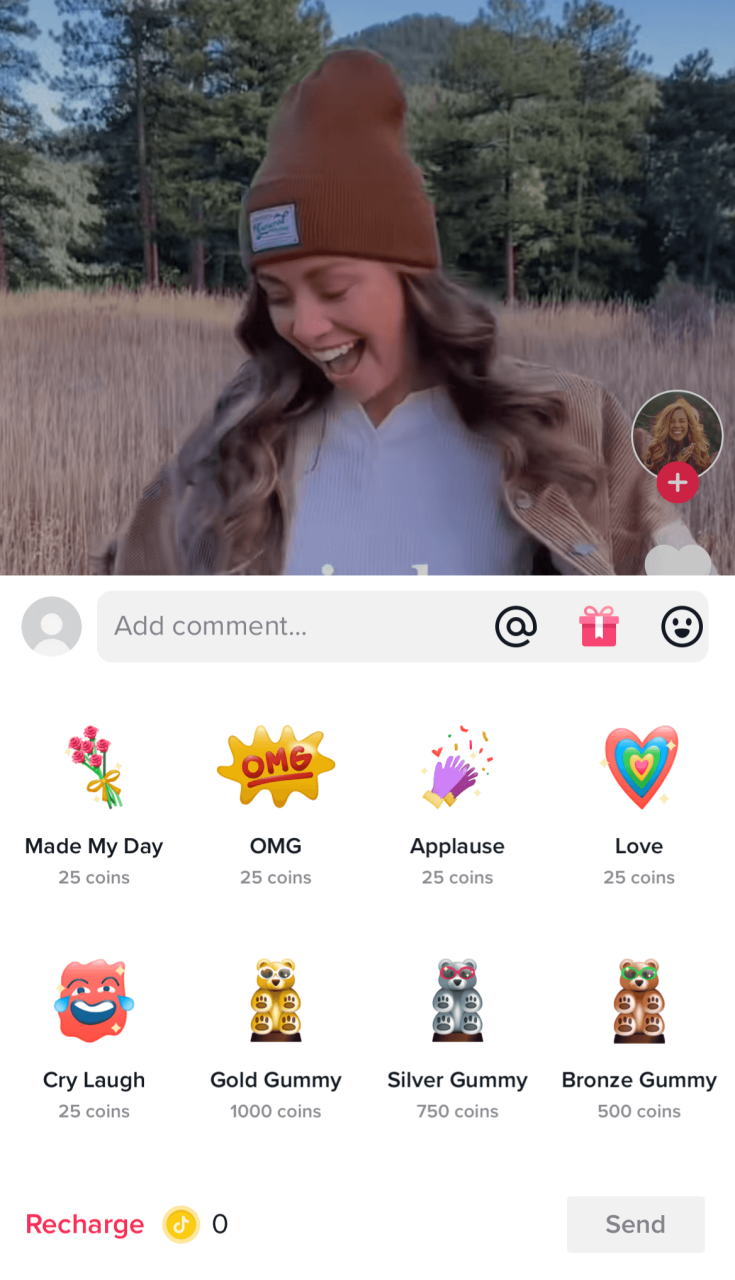
Going solo is nerve-wracking, and that is normal. TikTok lets you invite co-hosts on camera, up to 20, so factory engineers, sales reps and overseas agents can all join.
- Start the live stream using the steps above
- A suggested host list appears, showing people who requested to join and people currently watching
- Tap "Invite" and select who you want on camera
Viewers can also ask to join: tapping the two-smiley icon next to the comment box sends a request. Once you approve, they appear on screen. An existing overseas customer talking through their experience convinces buyers more than you repeating specs ten times.
What should exporters stream? 3 topics that bring inquiries
1. Live Q&A: put customer questions on screen
Turn the questions that keep showing up in inquiry emails into a list and answer them one by one on camera. Product differences, lead times, certifications, MOQ, all of it can be covered live. TikTok's Q&A feature lets viewers ask as they watch, and you can work specs and MOQ into the answer. That is the shortest path to conversion.
2. Behind the scenes in the factory and sample room
The workshop, the inspection bench, the packing line, the sample rack. In a B2B context these shots are proof. A camera pan across a row of pallets waiting to ship says more than any copy. What buyers want to know first is whether you can actually produce.
3. A one-time-only policy
Sample discounts, mixed-carton terms, peak-season production priority: announce them live to create a reason to show up. Just do not trade gifts for engagement. Asking for gifts breaks the community guidelines and is a classic line-crossing move. The most common mistake in social media marketing is dressing up commercial terms as an incentive script.
The live stream is only the doorway. The sale still happens on your site. Put a landing page in your bio beforehand. See adding an independent site link to your TikTok profile.
8-point checklist before you go live
- Test audio: kill background noise sources, record a test video and listen back
- Set the scene: light it properly and move clutter and cartons out of frame
- Pick a time: choose when your followers are most online, matched to your target market's time zone
- Check the network: use wired or stable Wi-Fi. Do not stream from a weak-signal workshop
- Assign moderators: name mods in advance to block spam and bad actors
- Control length: aim for about 30 minutes, 60 minutes maximum
- Keep interacting: answer comments every 5 minutes and say the asker's name
- Promote it: announce the time a day ahead on other social platforms and in your regular short videos
Live traffic has to land on your own site in the end. Load the hero image with an img tag and add fetchpriority="high", and keep LCP under 2.5 seconds. Past 3 seconds on mobile, about 53% of users leave outright. Put a spec table and MOQ on product pages, and keep the form to three fields: name, email, requirement. These details decide whether live-stream attention turns into inquiries. On a B2B foreign trade website, structure is worth more of your time than polish.
No site yet, or still running a template from a few years ago? Look at the delivery process for website building services and route live, short video and search traffic to one page.
FAQ
How many followers do you need to go live on TikTok?
1,000 followers, and you must be at least 16. When you first qualify, the entry may take two or three days to appear. That is normal.
I have enough followers but still no Live button. What now?
Check the app version, any violation notices and your age information, then log into the same account on another device to verify. If none of that works, contact platform support and appeal.
How long can a TikTok live stream run?
About 30 minutes is recommended, with a 60-minute maximum per session. Go longer and you lose viewers in the back half, and the content tends to run thin.
Can I send viewers to my own site to order during a live stream?
Yes. Put the landing page link in your bio and say on camera "the full spec sheet is in my bio". Avoid gift-for-cashback style prompts. They easily trigger a violation.