

There is only one main path to putting an independent-store link in TikTok: switch the account to a business account, fill in the Website field with your site URL, and back it with a landing page that matches the video. Traffic from TikTok isn't expensive in 2026 — what's expensive is a landing page that can't hold people. The link is just the entrance. Whether it produces inquiries depends on whether your page says who you are within 3 seconds.
Can a TikTok bio link still bring inquiries in 2026?
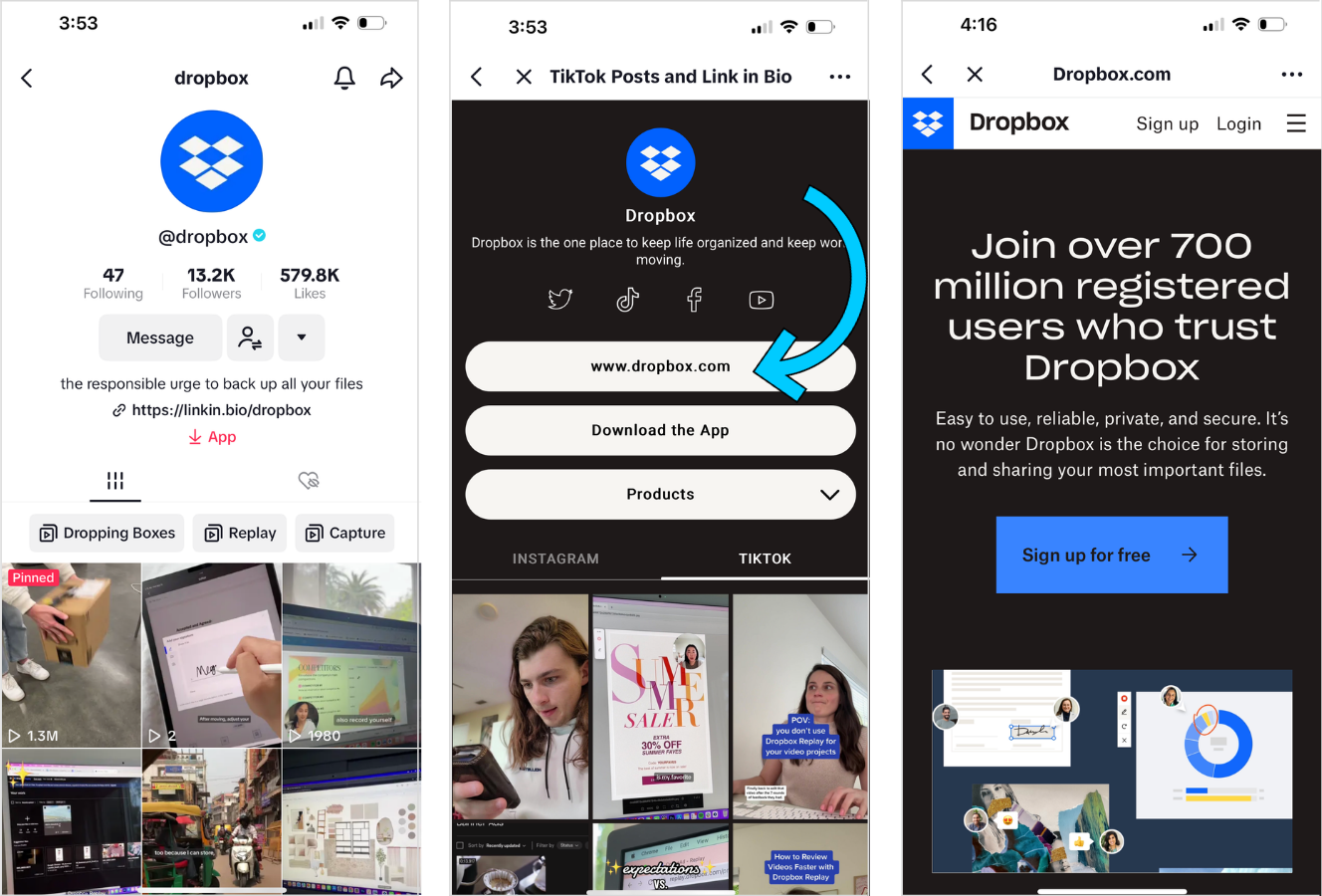
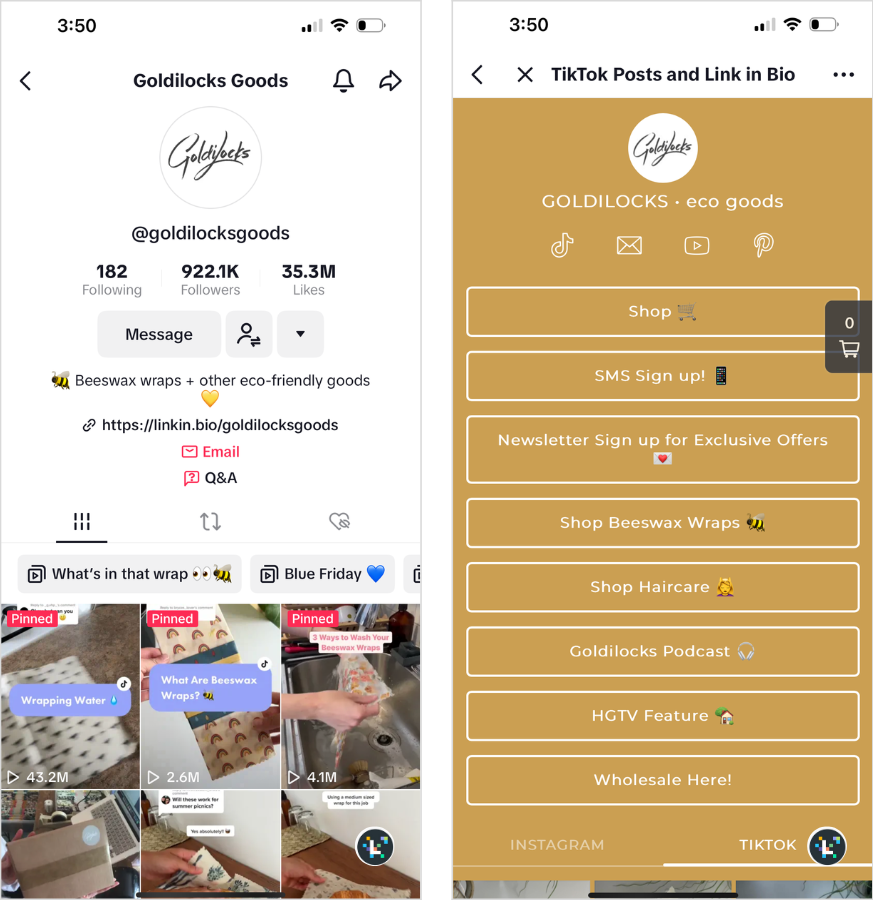
Yes, but the division of labor has to be clear: TikTok gets you seen, the site catches the inquiry. At Google I/O in May 2026, Google said AI Mode had roughly 1 billion monthly users, with AI Overviews putting answers at the top of the results page. Pew Research measured that when an AI summary appears, about 8% of users click a traditional result; without a summary, about 15%. A user watches your video, then searches your brand on Google — that path is still open.
An Ahrefs study from March 2026 makes the point sharper: only 37.9% of the URLs cited in AI Overviews also appeared in the top 10 organic results for that query, down from 76% in July 2025. Rankings haven't disappeared — the results page just changed shape. AI still summarizes pages that already rank. Google puts it plainly: good SEO is good GEO.
So the page your link points to must first be crawlable and indexable. Second, don't block it with nosnippet or max-snippet. Miss those two and the link never enters the AI candidate pool — you only get that one burst of short-video traffic.
Before you add the link, what must the account and landing page pass?
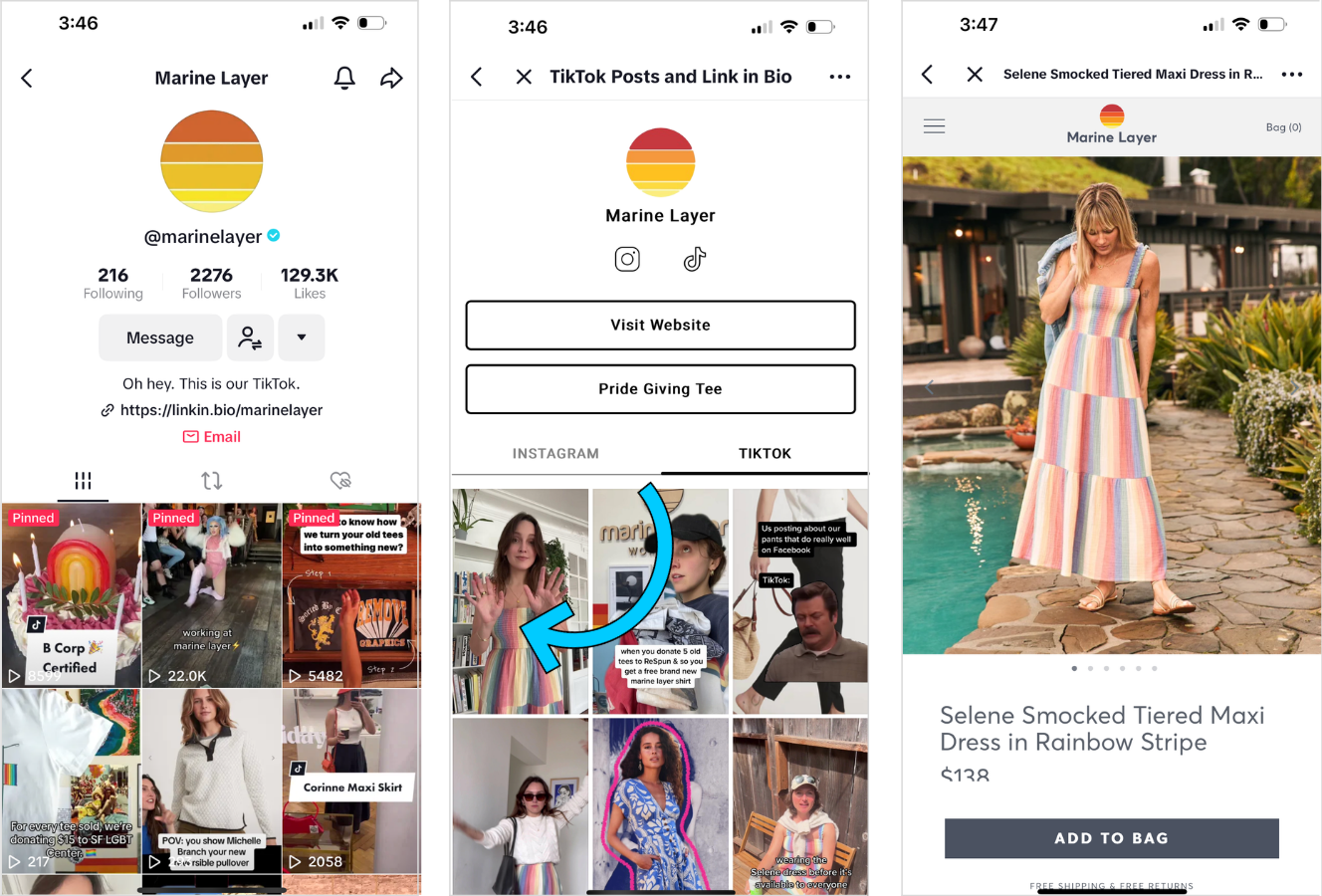
On the account side, TikTok's Website field is open to business accounts only. Switch to a business account in settings, pick your industry category, and the field appears on the edit profile page. Follower thresholds vary by region — go by the in-app prompt and don't copy someone else's screenshot.
The landing page has three gates. SSL is the first: without a certificate, Chrome flags the address bar as "Not secure" and buyers won't type their email into your form. The first screen is the second: state "who you are + what problem you solve" within 3 seconds, or people leave. The form is the third: name, email and requirement convert best, and every extra field adds another layer of drop-off.
Speed is the fourth gate. Per Google's data, about 53% of mobile users leave when a page takes more than 3 seconds to load. Core Web Vitals thresholds haven't changed in 2026:
| Metric | Good threshold | Most common cause of slowdown in 2026 |
|---|---|---|
| LCP | ≤ 2.5s | The hero image is set as a CSS background-image, so the browser has to parse the CSS before it even finds the image |
| INP | ≤ 200ms | TikTok Pixel, GA4, live chat and popups all load synchronously, saturating the main thread |
| CLS | ≤ 0.1 | Images without fixed width/height; fonts and ad slots push content down |
Fixes don't show results immediately. Core Web Vitals uses a 28-day rolling window of real users, so Search Console needs about 4 weeks to reflect the change. Declaring it a failure the day after you edit is a common misread.
How exactly do you add the TikTok link? 5 steps
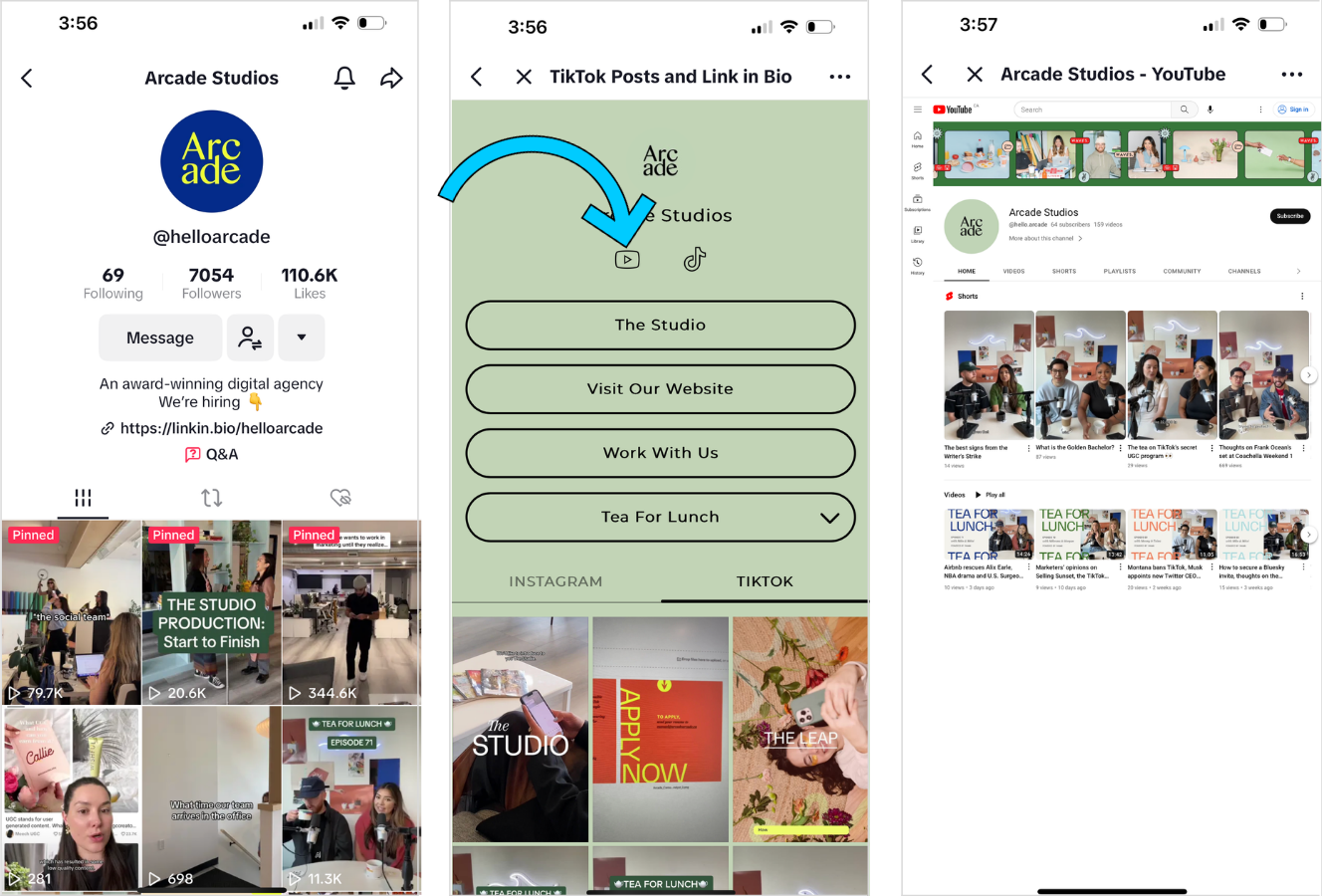
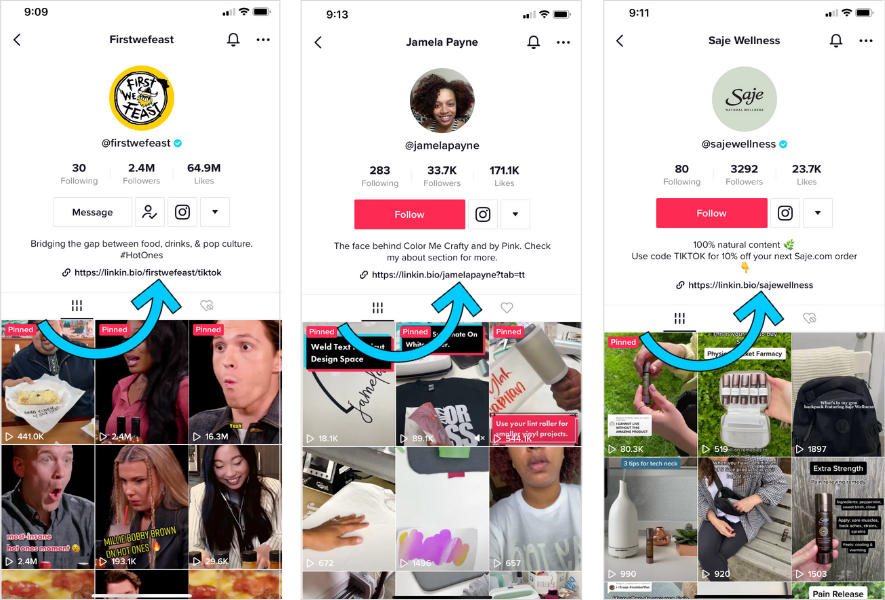
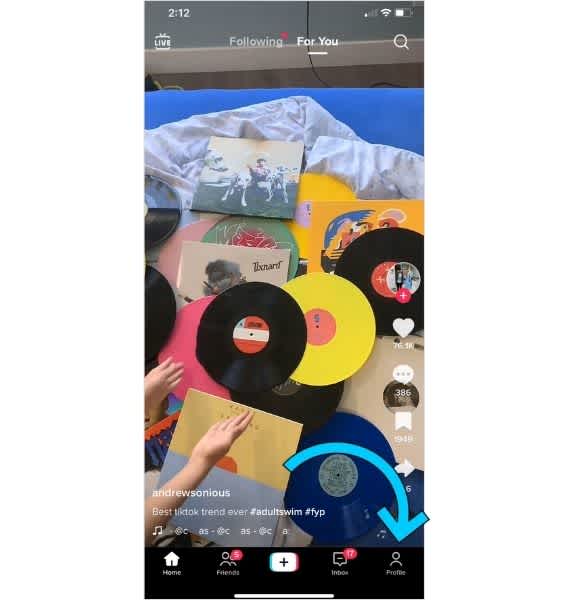
- Switch to a business account: Settings and privacy → Account → Switch to Business Account, and pick the category closest to your product.
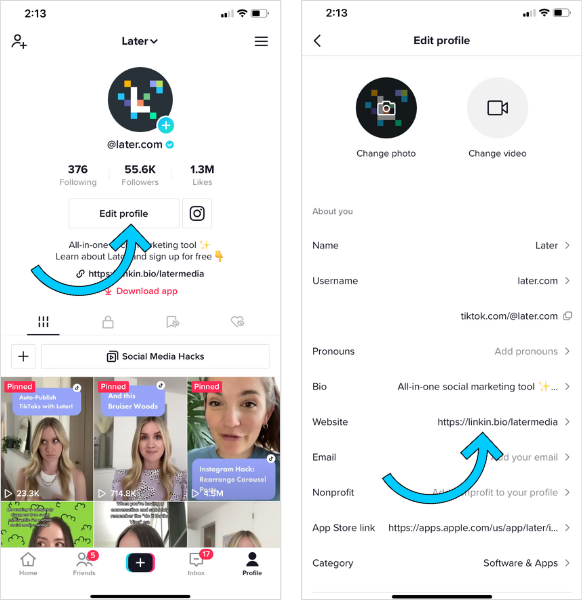
- Open Edit profile: find the Website field and enter the full URL, including https://.
- After saving, check your profile: the link shows below your bio. Tap it yourself and confirm it lands on the page you want to push.
- Test again on mobile data: a site that works on Wi-Fi but won't open on 4G usually has a certificate or CDN configuration problem.
- Add UTM parameters: ?utm_source=tiktok&utm_medium=bio. Every later judgment depends on this.
Don't change the link often. One change shifts the destination for every previous video, and traffic from old videos dies on a 404. If you need a new main page, 301 the old URL first. Then walk through the conversion path of your landing page — see the usual structure of a B2B export website: positioning on the first screen, spec table and MOQ in the middle, a single form at the bottom.
There's only one link slot in the bio — how do you pick among three options?
| Method | How many links | Who it suits | What to watch |
|---|---|---|---|
| Website field in bio | 1 | Factory-type B2B pushing a single landing page | Every campaign change means editing your profile, and old videos break |
| Multi-link landing page | Several | Multiple product lines, pushing a catalog and WhatsApp together | One extra hop; if the page itself is slow, people drop off halfway |
| Comments + auto-reply DMs | Several | Live streams and viral video follow-up | Sent manually, so the miss rate is high |
Most B2B factories choose the first: one link straight to a product page or inquiry page, the shortest path. For retail or many categories, a multi-link page fits better — but it still has to pass Core Web Vitals. Don't let it spin for three seconds on mobile.
Links in comments need auto-replies, or messages slip through once volume picks up. Live sellers can pin the pitch in a top comment and hand pre-sale Q&A to automation — see the logic in WhatsApp fully automated chatbot to screen the common questions first. For live stream setup and requirements, see TikTok live streaming requirements for comparison.
The link is up but there are no inquiries — where's the problem?
The first cause is usually a content mismatch. The video shows product A but the link lands on the homepage, so users have to hunt — and after two tries they close it. The page must match what the video talks about: title, hero image and price range all consistent.
The second is a slow page. Third-party scripts are the biggest INP killer: GA4, TikTok Pixel, chat widgets and popups loading synchronously block the main thread outright. The usual fix is to delay them until the user's first interaction (touchstart, mousemove, keydown, scroll). On the server side, Cloudflare APO at about $5 a month caches HTML on edge nodes and brings TTFB down to 30–80ms. Builders also differ in cost, roughly from worst to best: Elementor, Divi, WPBakery, Beaver Builder, Bricks, GenerateBlocks, Kadence Blocks, native Gutenberg. In a real migration, a 30-page site moved from Elementor to Bricks: INP dropped from 290ms to 110ms, LCP from 3.4s to 1.9s, and the migration took about 16 hours.
The third is no data. Without UTM tags you can't tell whether traffic came from the bio link or from organic video views, so optimization becomes guesswork.
- The link opens on a 4G connection with no "Not secure" warning
- The first screen shows "who you are + what problem you solve" within 3 seconds
- Product pages have a spec table, MOQ and lead time — not just one image
- The form has only three fields: name, email, requirement
- All images have fixed width/height, and the hero image uses img + fetchpriority="high"
- Third-party scripts load after the first interaction
- UTM parameters are set and Search Console is verified, so you can see landing page data
When the landing page itself isn't enough, don't force it. The gap between custom-built and template sites in loading and structure gets amplified on short-decision TikTok traffic — see the version and pricing comparison for the specifics. Beyond TikTok, organic and paid Google traffic deserve to be built in parallel — see Google's five main promotion programs and website building services.
FAQ
Can a personal TikTok account add an independent store link?
The Website field is only open to business accounts. Switch the personal account to a business account, pick a category, and the field appears on the edit profile page. Follower thresholds differ by region — go by the in-app prompt. If you can't switch, first check whether you missed the category.
Can I change the link whenever I want?
Yes, but don't do it often. Once the link changes, every previous video points to the new URL, and traffic from old videos drops onto a 404. If you really need to switch the main page, 301 the old URL first, then edit your profile.
The link says it's not secure or won't open — what do I do?
First check whether the SSL certificate has expired and whether it only covers www. Then test on mobile 4G, not just Wi-Fi. If the certificate is fine and it still won't open, it's usually a CDN node or DNS resolution problem.
How do I know whether TikTok traffic is working?
Two places. One is UTM parameters: check landing page performance by source in GA4. The other is Search Console: see whether branded search volume is climbing along with it. If you can't see either, your tracking isn't set up — it doesn't mean there's no effect.