

Whose server holds your customer data decides whether you control that asset at all. Here is the verdict for 2026: if you have three or more salespeople, over 10,000 customer records, and leads mostly from trade shows and referrals, go self-hosted. If you are a SOHO or a two-person team just starting out, run your follow-up process on third-party SaaS first. Below, the differences broken down.
Whose Server Holds the Data: the Most Fundamental Difference Between Third-Party and Self-Hosted CRM
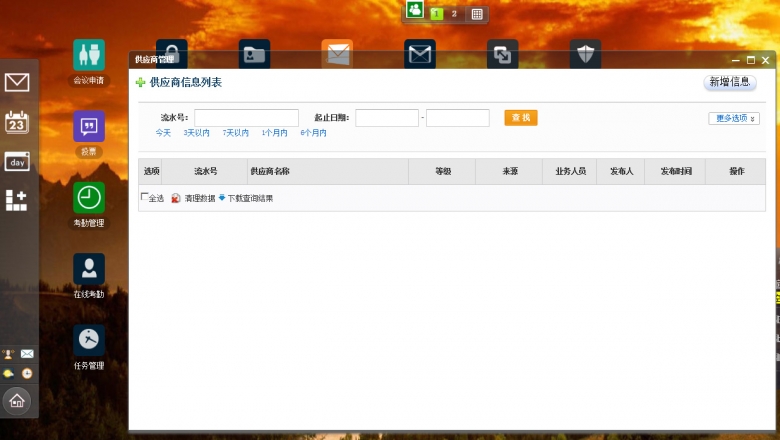
Third-party CRM is rental. Every customer name, contact email, quotation record and follow-up note you enter sits in the vendor's database, and the browser you open connects to their system. A self-hosted CRM is ownership: the database runs on your own server or cloud host, and you set account permissions, backup policy and who can see which table.
The difference is not in the feature list. It is in data ownership. Technically, the vendor's engineers are in a position to touch your data, and that has nothing to do with how decent the vendor is. The vast majority will never touch your customer list, but you cannot verify it. With a self-hosted setup, that path does not exist.
Customer lists in foreign trade have a quirk: they are both a customer asset and competitive intelligence. Who is buying, what specs they buy, how often they reorder — put that together and you have a market map. The longer a trading company has been around, the less willing it is to keep that map on someone else's server.
Six Dimensions in One Table: the Real Gap Between the Two CRM Models
| Comparison | Third-party foreign trade CRM | Self-hosted CRM |
|---|---|---|
| Where data lives | Vendor's servers; you only have usage rights to an account | Your own server or cloud host; the database is yours |
| Time to launch | Register and start entering customers the same day | Selection or development plus deployment, usually two to three weeks |
| Cost structure | Per-seat annual subscription; costs rise with headcount | One-off purchase or development fee, plus annual server and maintenance costs |
| Customization | Submit requests and wait in the queue; fields and workflows limited by the product | Fields, stages and reports changed to fit your own business |
| Data export | Depends on whether the vendor offers a full export | Full backup at any time, in whatever format you choose |
| Security responsibility | Vendor's job; if something goes wrong you can only pursue it after the fact | Yours; someone must own backups and permissions |
| Who it suits | Two- or three-person teams whose process isn't settled yet | Five or more people whose customer records are already a core asset |
The most underrated row in that table is data export. Before you sign, ask one question: when the contract ends, can I export every customer, follow-up record and attachment in one go? Am I getting a pile of CSV files, or a complete package with attachments? Plenty of companies discover in the year they switch systems that the customers moved across fine, but three years of follow-up history and quotation attachments stayed behind.
The other one is seat pricing. Under per-user billing, every salesperson you hire pushes the cost up a notch, and turnover in this industry is not low. When someone leaves, do you keep the seat? How is the handover done? Sort those processes out before you expand, not after something goes wrong.
When Third-Party Foreign Trade CRM Is the Better Deal
- Two or three people, the process is still being tested, and sales stages and fields change constantly — editing a config is far faster than editing code.
- No dedicated IT staff, and no appetite for servers, certificates, upgrades and daily backups.
- Salespeople are often at trade shows or on the road, photographing business cards and logging follow-ups on their phones, ready to go the moment they open the app.
- You want spending to stay inside an annual subscription, with no one-off investment.
What these companies share: the customer list has not yet become a long-term asset, and the priority right now is that every inquiry gets followed up and no order slips away. Building servers and custom software at this stage is a poor return on effort.
One habit to lock in early, though: from day one, export the customer list once a week and keep it on your own drive or cloud storage. That backup is your only way out when you change vendors, face a price hike, or the service goes down.
Choosing Self-Hosted CRM: Cost Out These Three Items First
- Software cost. Buying an off-the-shelf source code package, a perpetual licence, or custom development to fit your business — the prices are far apart. First pin down whether you are managing customer follow-up, sample shipments or quotation approvals. With fuzzy scope, a quote means nothing.
- Server and maintenance cost. Cloud host, domain, SSL certificate, daily automatic backups. Backups are the first thing people cut and the first thing that turns into a disaster the day a drive dies.
- People cost. Who configures the fields, who imports the historical customers, who changes permissions the day a salesperson resigns. If nobody owns this, the system is back to Excel three months after launch.
Of the three, the third is the most underestimated. Freedom in a self-hosted system cuts both ways: if fields can be changed, someone will always be changing them; if permissions can be configured, someone always has to maintain them. Most failed self-hosted CRM projects are not a technology problem — nobody was responsible for the system.
A pragmatic approach is to start small: pick one sales team, run the customer, follow-up and quotation modules to the full for two months, then roll it out company-wide. Switching everyone at once invites pushback.
CRM Is Not an Island: What Happens After an Inquiry Lands From Your Site
Many companies treat the website and the CRM as two unrelated projects: inquiries sit in the inbox, customer records sit in the CRM, quotations sit on a salesperson's laptop. Three silos, and when the customer comes back to ask again, nobody remembers what was quoted last time. For a closer breakdown of these breaks, see why your foreign trade website gets no traffic or inquiries.
Fewer form fields is better. Name, email and requirement convert best; add more and the customer closes the tab on their phone. Once an inquiry lands, it should flow automatically into the CRM's follow-up list with an owner and a reminder, flagged red if there is no reply within 48 hours. Cold B2B email reply rates run between 1% and 5%; a tight list with short copy can reach 8%–15%. With follow-up records kept in the system, the next round has something to optimize against.
Two details that get overlooked. First, without SSL, Chrome marks the address bar as not secure and customers stop filling in the form. Second, inquiry forms get flooded with spam and real customers drown in it — see the definitive way to handle WordPress spam inquiries. If you are planning to rebuild your site, look at the B2B foreign trade website package and the plan and pricing comparison first, then decide how the site connects to the CRM.
One more thing: retaining an existing customer costs about one fifth of winning a new one. The real value of a CRM is not storing customers — it is reminding you of the person before the reorder cycle comes around.
Frequently Asked Questions
Can the vendor see customer data in a third-party foreign trade CRM?
Technically, the vendor's operations staff are in a position to access data in their database. Reputable vendors have permission controls and audit logs, but you cannot verify enforcement from outside. If your customer list is a core asset, assess the risk as something that may be seen, not as something that probably won't be.
Do I have to hire a developer for a self-hosted CRM?
Not necessarily. There are off-the-shelf systems sold on a perpetual licence and open-source frameworks you can deploy yourself, then adjust fields and workflows on top of what exists. Building from scratch is the most expensive option; unless your quoting or sampling process is genuinely unusual, it is not advisable.
We are only two people. Do we need a CRM?
Yes, but a light one. The problem with managing customers in Excel as a two-person team is not that you forget them — it is that nothing reminds you who to contact today. A third-party SaaS with follow-up reminders and mobile entry is enough. Spend a little each year and solve the no-order-slipping-away problem first.
How do I move customer data from a third-party CRM to a self-hosted one?
Do a full export from the old system first, including customer fields, follow-up records and attachments — do not export the customer table only. Check the record counts, then import into the new system, and spot-check ten or so records afterwards to see whether timelines and attachments came through. Schedule the whole thing in a quiet period, not during shipping peak.