

WordPress video banners are worth doing, but keep three hard limits: video under 20 seconds, file under 20MB, hero LCP within 2.5 seconds. If you can't hit the third one, skip autoplay — about 53% of mobile users leave when a page takes over 3 seconds to load (Google data). A beautiful hero won't keep them there.
What are the ways to build a WordPress video banner? Pick the right approach first
There are only three ways to put video in your hero: a theme's built-in module, a page builder component, or hand-coded HTML5 video. The choice isn't about looks. It's about whether your site can survive Core Web Vitals.
| Approach | How it works | Difficulty | Impact on LCP and INP | Who it suits |
|---|---|---|---|---|
| Theme video background module | Tick a box in the admin and upload an mp4 — Astra, Kadence, Blocksy | Low | Controllable, as long as you upload a separate compressed poster image | Small and mid-size exporter sites on a budget |
| Page builder video component | Drag and drop in Elementor, Divi, Bricks | Medium | Elementor and Divi carry a high INP cost; Bricks and GenerateBlocks are lighter | Sites that need complex layouts and motion |
| Hand-coded HTML5 video + poster | Write the video tag in the template, set your own poster | High | Best — you control preload and poster priority precisely | Custom industry sites, brand sites |
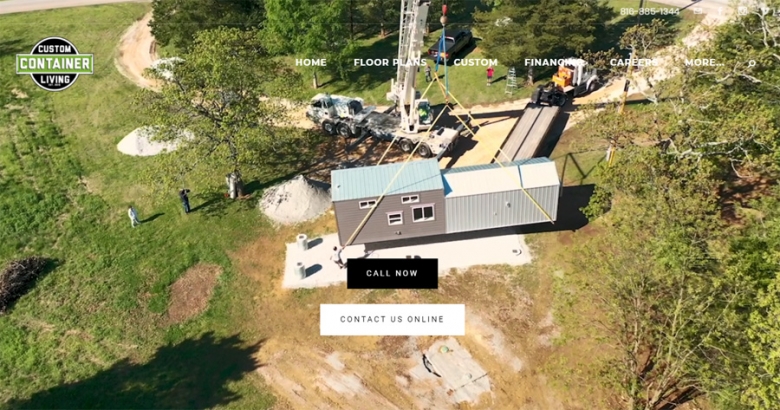
The demo in the original article uses a theme video background with a text overlay. With a hand-coded video tag, the same effect loads a few hundred KB less CSS and JS than a builder. If you're still choosing a vendor, read the hero options in website development services before you pay extra for motion.
Does a video banner slow the hero? 6 moves to keep LCP under 2.5s
The 2026 Core Web Vitals pass line: LCP ≤ 2.5s, INP ≤ 200ms, CLS ≤ 0.1. Video heroes most often trip on LCP and INP. Do these six steps in order and you'll keep the risk contained.
- The hero poster must be an
tag with fetchpriority="high". Never use a CSS background-image — the browser only finds the image after parsing the CSS, which pushes LCP back.
- Set width and height on every image. This is the highest-value CLS fix there is, hands down.
- Add preload="none" to the video tag and let the poster hold the first frame. Load the video only when it scrolls into view or on first interaction.
- Autoplay requires muted and playsinline, or iOS opens full screen and won't autoplay at all.
- Delay GA4, Meta Pixel, TikTok Pixel, live chat and popup scripts until the first touchstart / mousemove / keydown / scroll. Third-party scripts are the biggest INP killer, and the 200ms line is easy for them to blow through.
- Use Cloudflare APO (about $5/month) to cache HTML at the edge. TTFB drops to 30–80ms and the whole hero feels different.
Builder choice also carries a cost. In 2026, INP performance from worst to best runs roughly: Elementor, Divi, WPBakery, Beaver Builder, Bricks, GenerateBlocks, Kadence Blocks, native Gutenberg. There's a real migration case: a 30-page site moved from Elementor to Bricks, INP went from 290ms to 110ms and LCP from 3.4s to 1.9s, taking about 16 hours. If your site has been live for years and the theme keeps getting heavier, moving to a lighter stack is often cheaper than piling on more optimization plugins — how to migrate a WordPress site to another host walks through the full process.
Be prepared: Core Web Vitals uses a 28-day rolling window of real user data, so changes won't show in Search Console right away. Wait four full weeks before judging.
How small should the video be? Practical specs: 20 seconds, 20MB
The video isn't the problem. The file size is. The original 20-second, 20MB standard still holds in 2026, and you can go harder: 8–12MB for desktop, with a separate 3–5MB version for mobile.
- Length: a 10–20 second loop. Past 20 seconds, users scroll away before they see the point.
- Codec: H.264 in an mp4 container for the widest compatibility; add a webm version if you can.
- Resolution: 1920×1080 on desktop; 1280×720 is enough on mobile. Don't push 1080p to phones.
- Bitrate: 2–4 Mbps. Product videos with mostly static shots can go lower.
- Frame rate: 25 or 30fps. Don't use 60fps.
- Audio track: delete it. Autoplay video is muted anyway, so it's dead weight.
- Poster: export a separate compressed first-frame JPG, under 200KB.
After compressing, check the hero composition again: the centre of the video gets cropped hard on phones. Keep the subject and text inside the safe zone, and don't park the product at the very edge of the centre.
What text and buttons turn video views into inquiries?
Video solves for dwell time, not conversion. Within 3 seconds the hero must answer two things: who you are and what problem you solve. That means real text layered over the video, not a headline baked into the video as an image. Use an H1 in real HTML text so both AI and search engines can read it.
A three-part structure works: one line of industry positioning (e.g. "Industrial valve manufacturer, 19 years of export experience"), one line of differentiation ("Small-batch customization, MOQ 50"), and one primary button ("Get a quote" or "Download the spec sheet"). One button only. Make the second option a text link and keep it visually weaker.
Where the button lands matters more than how it looks. Keep landing and form pages to three fields: name, email, requirement. Fewer fields, higher conversion. Product pages need a spec table and MOQ — that's the first thing a B2B buyer checks to judge whether you're professional. For the full structure, see B2B foreign trade websites. If you're building a brand-led industry site, high-end custom industry sites covers hero messaging in more detail.
In 2026, AI search puts answers on top. Is a video hero still worth it?
Yes, but its job has changed. Pew Research found that when an AI summary appears, users click traditional results about 8% of the time; without one, about 15%. An Ahrefs study from March 2026 is blunter: of URLs cited in AI Overviews, only 37.9% also rank in the top 10 organic results for that query, and another 31% rank below 100. Queries with AI Overviews see about a 34.5% drop in click-through to the first result.
What does that mean? Fewer clicks on the results page. The people who do reach your site often already have some impression of you. Those 20 seconds of hero video plus one clear positioning line have one job: confirm they've found the right company. Not get them to find you. That job belongs to product and content pages.
One thing you can skip: Google has said outright that appearing in AI Overviews or AI Mode needs no extra structured data, special files or Markdown. Good SEO is good GEO. You only need to confirm three things — the page is crawlable, indexable, and not blocked by nosnippet or max-snippet. So don't pile useless markup into your hero to "feed the AI." Clear copy and a faster page do far more. A video hero with a text headline is exactly the format both people and AI can read. If your hero looks great but inquiries stay flat, the problem usually isn't visual — work through why your independent foreign trade site gets no traffic or inquiries.
FAQ
Does a WordPress video banner have to autoplay?
Not necessarily. If your hero LCP won't come in under 2.5 seconds, switch to a static poster with a play button and load the video on click. Tiny visual loss, big speed gain.
Should I turn the video off on mobile?
You don't have to, but ship a separate smaller file (3–5MB, 1280×720) and scale up the text overlay on mobile. If mobile is most of your traffic and your unit prices are low, a static image is a reasonable call too.
Does building a video banner in Elementor hurt rankings?
Not rankings directly, but it does affect INP. Elementor still sits in the slower tier of builders on 2026 INP cost, especially with lots of components and plugins. Manage third-party script timing and most sites can still clear 200ms.
Can I use a GIF instead of a video banner?
Not advisable. A GIF of the same length is usually several times the size of an mp4, looks worse, and shows clear colour banding. Use mp4 with a poster — lighter and controllable.